


GHIN
3.82.69K Reviews
App Specs
- Version
- 5.4.13
- Updated On
- License
- Free
- Downloads
- 1,000,000+
- Developer
- Golf Handicap and Information Network
- Categories
- Sports
- Platform
- Android
Screenshots
 Analysis by AppCompare
If you're an avid golfer like me, you know how crucial it is to keep track of your game. Enter GHIN, the Golf Handicap and Information Network. This app is a game-changer for anyone serious about improving their golf skills. From tracking your scores to providing a detailed analysis of your game, this app is packed with features that can help transform your golfing experience.
What the first week feels like
The appeal is easiest to understand after a round: I want to record what happened while the details are still fresh, then get back to the day rather than spend the evening sorting out numbers. GHIN is built around that practical routine. It is the official app from the Golf Handicap and Information Network, and its strongest reason to stay installed is that it connects scorekeeping with handicap information instead of treating a round as an isolated note.
That focus also makes it different from a general golf journal. A notebook or a basic scorecard app can preserve a score, but they leave more of the handicap context and ongoing record to the golfer. GHIN is a better fit when maintaining that record is part of why you play. If you only want a quick place to jot down a casual round and do not use handicap information, a simpler tool may feel lighter.
Getting Started with GHIN
First things first, setting up GHIN is a breeze. Once you've downloaded it from the App Store or Google Play, you'll need to log in with your GHIN number. If you don’t have one, you can easily register through your local golf club. The interface is sleek and user-friendly, making it easy to navigate through the various features without any hassle.
Track Your Scores Effortlessly
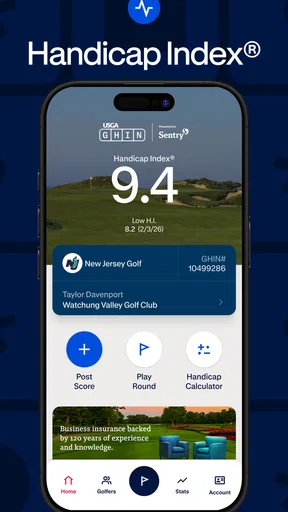
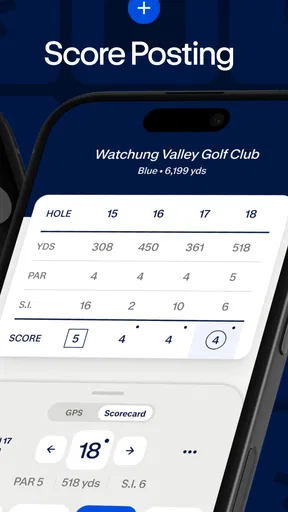
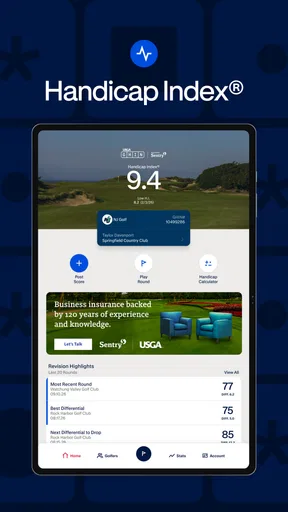
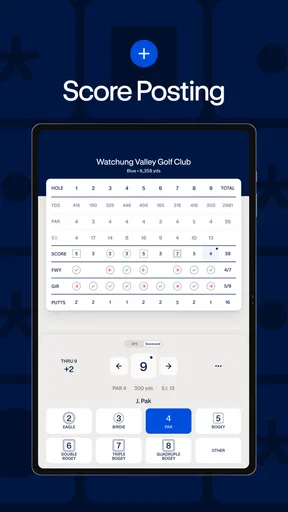
One of the standout features of the app is its ability to track your scores. You can enter your scores hole-by-hole or as a total score, and the app does the rest. It calculates your course handicap and updates your handicap index automatically. This means you spend less time number-crunching and more time focusing on your swing.
What I particularly love about this feature is how intuitive it is. The app remembers your favorite courses, so entering scores becomes a quick and painless process. And let’s be honest, who doesn’t want to save a little time on the green?
A scoring habit that lasts beyond the first round
The less obvious benefit of recording scores consistently is that it makes your history more useful. A score entered promptly is easier to trust than one reconstructed days later from memory. My practical habit would be to take a minute after the round to check the course and score before moving on. That small pause can prevent a careless entry from becoming part of the record I rely on later.
Worth Reading Before You Choose

Flipboard Shows What News Apps Must Do Beyond the Feed

Switching to Android Auto Means Rethinking Your Driving Routine

Google Calendar Makes a Crowded Week Easier to Manage

Ludo King Makes the Most of the Minutes Between Plans

Baby Panda World Brings Quick Play to Modern Phones, but Its Game Library Feels Busy

ESPN’s Live Game View Makes Following Close Games Easier
There is a trade-off between entering hole by hole and entering a total. Hole-by-hole entry takes more attention, but it gives me a more complete record of how the round unfolded. A total is faster when all I need is the overall result. I would choose the method based on what I expect to learn from the round, rather than treating the most detailed option as automatically best every time.
Detailed Game Analysis
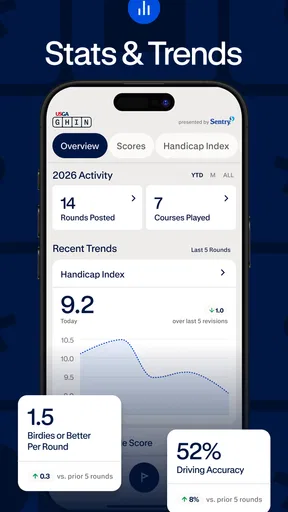
Once your scores are in, the app provides a detailed analysis of your game. It breaks down your performance by different metrics such as fairways hit, greens in regulation, and putts per hole. This information is incredibly valuable for identifying areas where you need improvement.
I found the insights to be spot on. For instance, my putting was a bit off, and the app highlighted this as an area for improvement. Armed with this knowledge, I could focus more on my putting during practice sessions, and I saw noticeable improvements in my subsequent rounds.
Turning numbers into a practice plan
Analysis is most useful when it leads to one manageable change, not a long list of things to fix. If a round points toward putting as a weakness, I would make that the focus of the next practice session instead of trying to overhaul every part of my game. Looking at the same type of measure across multiple rounds can also help separate a genuine pattern from one unusually poor afternoon.
There is a limit to what statistics can explain. A number can show where the score suffered, but it cannot tell me whether the cause was course conditions, a difficult lie, nerves, or a technical problem. I treat the metrics as prompts for reflection rather than a coach that knows why a shot went wrong. For golfers who enjoy tracking details, that distinction makes the analysis more useful and less frustrating.
Stay Connected with Friends
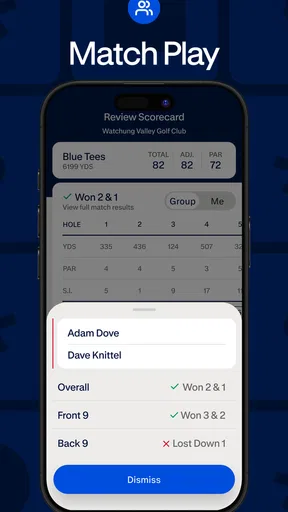
Golf is as much about camaraderie as it is about competition, and GHIN doesn't disappoint in this regard. The app allows you to connect with friends, view their scores, and even engage in a bit of friendly competition. You can set up challenges or just keep tabs on each other’s progress, making the game all the more enjoyable.
This feature has been a hit among my golf buddies and me. We often set up weekend challenges, and it adds an extra layer of fun to our games. Plus, it's a great way to stay connected, especially when we can’t all make it to the course together.
When social features help—and when they don't
For a regular group, shared scores can keep a friendly rivalry going between meetups and make it easier to compare progress over time. A realistic routine is to check in after a weekend round, then use the next tee time to settle the bragging rights in person. The social side works best when everyone involved already enjoys that kind of comparison.
If you prefer to play privately, or your golf friends use a different system, this part may not add much. I would not choose GHIN solely for its social layer; its value depends more on whether you want its handicap and scoring workflow. The app can still make sense without making every round a competition, but golfers who dislike sharing results should keep their expectations modest.
Weather and Course Information
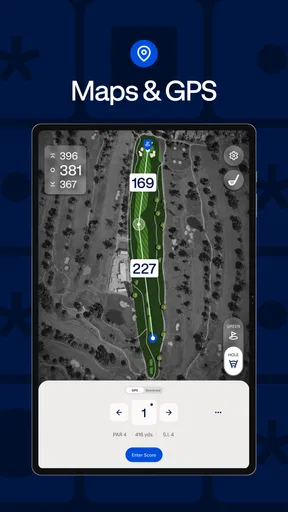
Another handy feature is the real-time weather updates and course conditions. Before heading out, you can check the weather forecast and course status right from the app. This is particularly useful if you're planning to play in unfamiliar locations or if the weather has been unpredictable.
There have been a few instances where I had to reschedule my game due to unexpected weather changes, and having this feature saved me a lot of time and hassle. It’s those little extras that make a big difference in the overall experience.
Keeping the routine practical
Weather and course information are useful as a quick planning check, but I would still confirm important changes with the course before making a long trip. Conditions can shift, and a phone view is not a substitute for a direct update when a decision depends on whether a tee time is going ahead. Used that way, the feature helps me decide what to check next rather than encouraging blind reliance on one screen.
That points to the app’s broader maintenance burden: it is modest if I already play regularly and enter scores, but it becomes another task if I rarely golf or do not care about keeping a handicap record current. The best way to make it feel effortless is to attach score entry to something I already do after a round, such as checking the card before leaving the clubhouse. If I wait until later, the small chore is easier to postpone.
Who gets the most from it
I would recommend it first to golfers who play often enough to value a continuing handicap record, want to submit scores without doing the calculations themselves, and like reviewing trends after rounds. It can suit both a weekend player who wants a more consistent record and a committed golfer who uses statistics to guide practice. The important point is not playing at a particular level; it is caring about the record and returning to it.
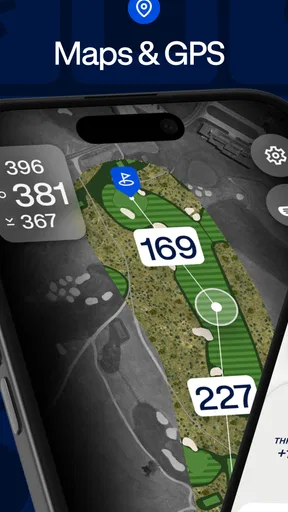
It is less compelling for someone who plays only occasionally, has no reason to maintain a handicap, or wants a full GPS-based course companion above all else. Golf apps can serve different jobs: a scorecard-first alternative may be quicker for a one-off round, while a dedicated course-navigation tool may be preferable when on-course yardages are the priority. GHIN’s appeal is narrower and more purposeful, so I would choose it for its scoring and handicap role rather than expect it to replace every golf tool.
Month-to-month value and the cost of staying current
The app is free to download, though it includes in-app purchases listed at $49.99 per item. I would check the purchase details in the app before paying for anything and consider whether the added value matches how often I play. The basic decision is simple: if the central scoring and handicap workflow is what I need, I can assess that on its own; an optional purchase should earn its place rather than feel necessary just because it is offered.
GHIN has a 3.8 average from around 7,800 ratings, with roughly 2,700 written reviews and over a million installs. I read that as a sign that it has a substantial audience, while also leaving room for mixed experiences. The app is rated for Everyone, runs on Android 5.0 or later, and its current version is 5.4.9. It has been available since January 18, 2012, so its appeal is not just the novelty of a new golf app; the question is whether its recurring role matches my habits.
Where fatigue can creep in
The main source of fatigue is not necessarily a complicated screen; it is the repetition of keeping a record when I am not playing enough to care about the results. If I stop entering rounds, the history becomes less helpful and the app is easier to forget. I would not force daily use out of it: this is a golf companion, so its natural rhythm follows actual rounds and occasional review, not constant checking.
Another possible frustration is expecting one app to cover every golfing need. GHIN is centered on handicap and score information, while golfers may also want detailed navigation, equipment advice, or coaching. Those are different jobs. Keeping a separate tool for a specific need can be more sensible than judging GHIN harshly for not being the entire golf world in one place.
Long-term verdict
In conclusion, GHIN is more than just a score-tracking app; it’s a comprehensive tool for anyone looking to enhance their golfing experience. Its user-friendly interface, detailed analytics, and social features make it a must-have for golfers of all levels. Whether you're a weekend warrior or a seasoned pro, this app can help you elevate your game to new heights. So, if you haven’t already, give GHIN a try and see how it can transform your time on the course.
My lasting verdict is a little more conditional: it earns space on my phone when I play often enough to maintain a useful handicap record and actually use the scores to reflect on my game. For that golfer, the recurring value is practical rather than flashy—record a round, understand what it says, and bring one useful thought to the next practice or tee time. If I do not care about that cycle, a lighter scorecard or a different golf tool is likely a better fit.
Pros
- Simple interface for easy navigation.
- Detailed stats for game improvement.
- Supports multiple golf clubs.
- Real-time handicap updates.
- Secure and reliable data storage.
Cons
- Requires internet for full features.
- Limited free version capabilities.
- Occasional syncing issues.
- No offline mode for score entry.
- Restricted to USGA members.
FAQs for GHIN
What is the GHIN app used for?
The GHIN app is designed for golfers to manage their handicaps, track scores, and access a wide range of golfing statistics. It provides a convenient way to post scores, review handicap trends, and stay updated with the latest golf news. It’s a valuable tool for both amateur and professional golfers looking to improve their game.
How do I post a score on the GHIN app?
Posting a score on the GHIN app is straightforward. After completing a round, you simply open the app, select 'Post Score,' and fill in the necessary details like course, tees, and score. This ensures your handicap index is accurate and up-to-date, reflecting your current playing ability.
Can I use the GHIN app if I’m not a member of a golf club?
To use the GHIN app, you typically need to be a member of a golf club that is part of the GHIN network. Membership allows you to obtain a GHIN number, which is essential for tracking your handicap. Some clubs offer online memberships, making it easier for non-traditional members to join.
Is the GHIN app available for both Android and iOS?
Yes, the GHIN app is available for both Android and iOS devices. You can download it from the Google Play Store for Android or the Apple App Store for iOS. The app is designed to work seamlessly across different devices, providing a smooth user experience regardless of your platform.
Does the GHIN app require an internet connection to function?
While some features of the GHIN app can be accessed offline, such as viewing previously saved scores, most functions require an internet connection. This includes posting new scores, updating your handicap index, and accessing the latest golf news and updates. An active connection ensures the app operates effectively.


